


























Advertisement
GTA 3 Browser
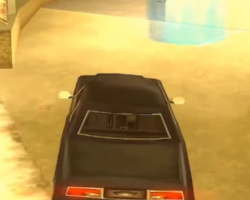
GTA 3 Browser refers to a web-based version or adaptation that allows players to experience the core structure of the game through a browser environment. The game is built around open-world navigation, mission-based progression, and free-form exploration within a city setting. Players control a single character and interact with vehicles, pedestrians, and objectives while moving through a continuous urban map. The browser format focuses on accessibility and simplified access rather than replacing the full standalone release.
City Structure And Exploration
In GTA 3 Browser, the city is divided into distinct districts connected by roads and bridges. Players are free to move between areas as they become available, either by driving vehicles or traveling on foot. Exploration is not restricted to missions, allowing players to interact with the environment at any time. Streets, landmarks, and traffic patterns help define each area and guide navigation. The open layout encourages players to learn the map naturally through movement rather than menus.
Missions And Player Objectives
Progression in GTA 3 Browser is driven by completing missions offered by various characters. These missions provide structure and unlock new areas or opportunities within the city. Objectives range from transportation tasks to timed challenges that require precise movement. Missions can usually be retried after failure, which supports experimentation. Outside of missions, players can engage in free roaming without penalties, maintaining flexibility in how the game is approached.
Core Gameplay Elements
GTA 3 Browser is built around several consistent gameplay systems:
- Open-world city navigation
- Vehicle-based movement and control
- Mission-driven progression structure
- Player interaction with non-player characters
- Save-based sessions suitable for browser play
These elements remain central throughout the experience. Because mechanics do not change significantly, players focus on understanding city layout and mission flow rather than mastering complex systems. Familiarity with controls improves efficiency during objectives.
Controls And Browser Adaptation
The browser version simplifies controls to suit keyboard and basic input methods. Movement, driving, and interaction are mapped for accessibility while preserving core behavior. Performance is designed to remain stable within a browser session, prioritizing smooth navigation and mission execution. Visual presentation may be adjusted for compatibility, but the core gameplay loop remains intact.
Advertisement



























































Comments