










Advertisement
Little Star Character Maker
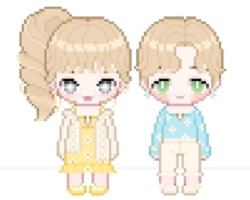
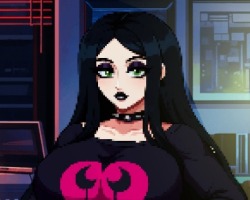
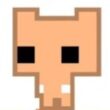
Little Star Character Maker is a character creation game focused on designing small chibi-style avatars. The game is commonly connected with My Little Star: Idol Maker, a casual customization app where the player decorates a pixel-style character with many visual items. It does not have a story campaign, missions, or a fixed ending. The main purpose is to create a character, adjust its appearance, and save or share the final result.
A Small Avatar With Many Parts
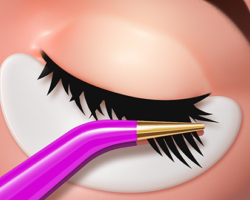
The gameplay is based on choosing and changing character details. The player can adjust the face, hair, eyes, mouth, clothes, accessories, shoes, and other visual parts. Some versions also include options for eyelashes, colored lenses, dyeing, and extra decorative items. The official store description mentions more than 1000 decorating items, which makes the game mostly about visual combinations rather than level progress.
In the middle of the game, the player works through menus and customization categories. Main gameplay elements include:
- chibi-style character creation;
- pixel-style graphics;
- hair, face, eye, and mouth options;
- clothes, shoes, and accessories;
- color and dyeing choices;
- decorative items for different styles;
- saving the finished character to the gallery;
- sharing the created avatar with other people.
No Levels, Just Custom Design
Little Star Character Maker does not use traditional levels. There are no enemies, stages, bosses, or story chapters. Progress comes from experimenting with combinations and making different avatars. The player can create one character, start over, or make several designs with different outfits and expressions. Some versions may include item sets or extra content, but these features still support customization rather than a linear game path.
How to Create a Character
To play Little Star Character Maker, the player opens the editor and chooses a character base. After that, they move through the available tabs and select parts such as hairstyle, eyes, clothes, accessories, and colors. Most actions are done by tapping buttons or icons. When a part is selected, it appears on the character immediately, so the player can compare options and change them again if needed.
Advertisement

























Comments