

























Advertisement
PNGTuber

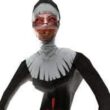
PNGTuber is a 2D avatar tool used for streaming, recording, and online content. It is not a story game with quests, enemies, or levels. The user creates a character from PNG images and sets how the avatar reacts during speech or blinking. The main purpose is to make a visual character that can appear on screen while the user talks, streams, or records videos.
Building the Avatar
The player starts by importing PNG image parts. These parts can represent the head, eyes, mouth, body, clothes, accessories, or other details. Each image can be placed on the canvas and adjusted separately. The user can also attach one part to another, so connected pieces move together. This makes it possible to build a full avatar from separate layers instead of using one flat image.
Reactions and Settings
PNGTuber does not have levels or a campaign. Progress comes from setting up the avatar and testing how it behaves. The user works with visual settings, movement options, and reactions connected to voice activity.
The user can:
- import PNG images;
- use sprite sheets for animated parts;
- attach sprites to other sprites;
- set speaking and blinking reactions;
- add bounce or movement effects;
- replace images when needed;
- choose a background for OBS or green screen.
How the Tool Works
The main interaction is editing rather than playing through challenges. The user places images, changes their behavior, and checks how the avatar responds. Some parts can appear or disappear when the user speaks, while others can react to blinking settings. Movement options can make the avatar look less static without using a 3D model. The result depends on how the user prepares the image layers and settings.
How to Use It
To use PNGTuber, the user opens the tool, adds PNG files, arranges the avatar, and adjusts the reactions. After testing the setup, the avatar can be used with streaming software such as OBS. There is no final mission or ending. The session is complete when the avatar is saved and ready for recording or live use.
Advertisement
























































Comments