


























Advertisement
Android Emulator
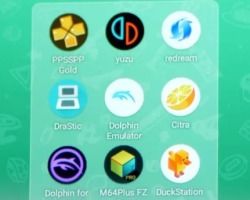
Android Emulator is a software-based gaming tool that lets the player run Android games on a computer instead of a phone or tablet. It is not a story game with characters, levels, or a campaign. Its purpose is to recreate an Android environment on PC or Mac, so mobile games can be played on a larger screen with keyboard, mouse, or controller support. The main idea is access: the player installs or opens Android games through the emulator and uses desktop controls to play them.
Mobile Games on a Bigger Screen
The gameplay depends on the Android game launched inside the emulator. If the player opens a racing game, the emulator becomes a way to control steering, acceleration, and camera movement. If the player opens a shooter, it can map movement and aiming to keyboard and mouse. If the player opens a strategy game, it can make tapping, dragging, and menu control easier with a cursor. The emulator itself does not create the game rules; it provides the system where those games run.
In the middle of use, Android Emulator usually offers tools that help adapt mobile games to desktop play. Common elements include:
- Android app and game support;
- keyboard and mouse control mapping;
- larger display compared to a phone screen;
- gamepad support in some emulators;
- APK installation in some versions;
- screen recording or screenshot tools;
- performance settings for CPU, RAM, and graphics;
- account sync or Google Play access in supported platforms.
No Story, but Many Game Types
Android Emulator does not have traditional levels. Progress comes from the games running inside it, not from the emulator itself. For example, a player may complete missions in an RPG, stages in a puzzle game, races in a driving game, or ranked matches in a shooter. Some emulator platforms are made for general Android apps, while others are focused on games, testing, or Google Play Games on PC.
How the Player Uses It
To use Android Emulator, the player installs the emulator, signs in when required, searches for a game, installs it, and starts playing. After launching a game, the player can adjust controls, change display settings, and set performance options if needed. Keyboard controls may replace touch buttons, while the mouse can work like a finger tap. Some games also support controller input.
Android Emulator is mainly a platform for playing Android games on another device. It has no plot, no fixed ending, and no built-in level path. Its value comes from letting players run mobile games on a computer, customize controls, use a bigger screen, and continue progress in supported games.
Advertisement

























































Comments